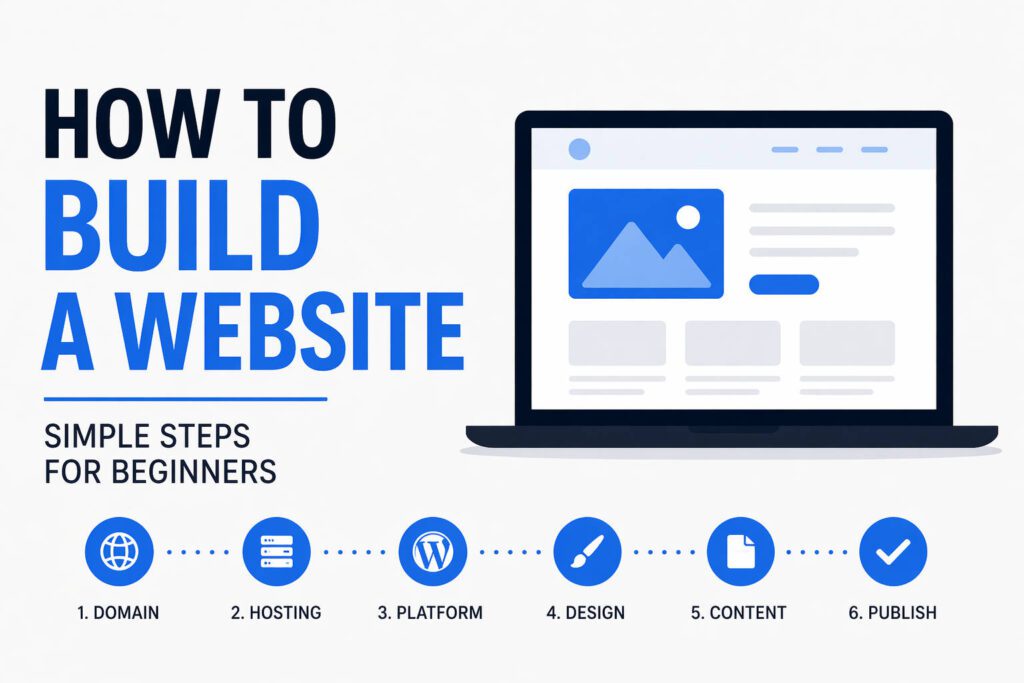
This guide explains how to build a website step by step in a clear way.
Building a website can seem complicated at first.
There are many tools, platforms, and different ways to do it.
But in practice, the process is quite simple when you break it down.
>>READ: Hostinger offers easy and affordable hosting for beginners
How to build a website: the basic idea
Every website needs three things:
- a domain name
- web hosting
- a way to create the site
Once you have these, you can build and publish your website.
Step 1: Choose a domain name
Your domain is your website address.
It should be:
- simple
- easy to remember
- relevant to what you do
You can register a domain through most hosting providers.
Step 2: Get web hosting
Web hosting is where your website is stored.
This is what makes your site accessible online.
For beginners, a simple hosting plan is enough.
Step 3: Install a website platform
Most hosting providers offer one-click installation.
A common option is WordPress.
It allows you to:
- create pages
- add content
- customize your site
without needing coding skills.
Step 4: Choose a design
You can use a ready-made template or theme.
This gives your website structure and layout.
You can then:
- change text
- add images
- adjust sections
to match your needs.
Step 5: Add your content
Start with the basics:
- homepage
- about page
- services or products
- contact page
Keep the content clear and easy to understand.
Step 6: Publish your website
Once everything is ready, you can make your site live.
After that, your website becomes accessible to others.
Common mistakes
Trying to build everything perfectly at the start
A simple version is enough to launch.
Choosing too many tools
This can make the process more complicated.
Delaying the launch
It is better to improve a live site than wait too long.
Conclusion
Learning how to build a website does not require technical experience.
By following a simple process, you can create a functional website and improve it over time.