
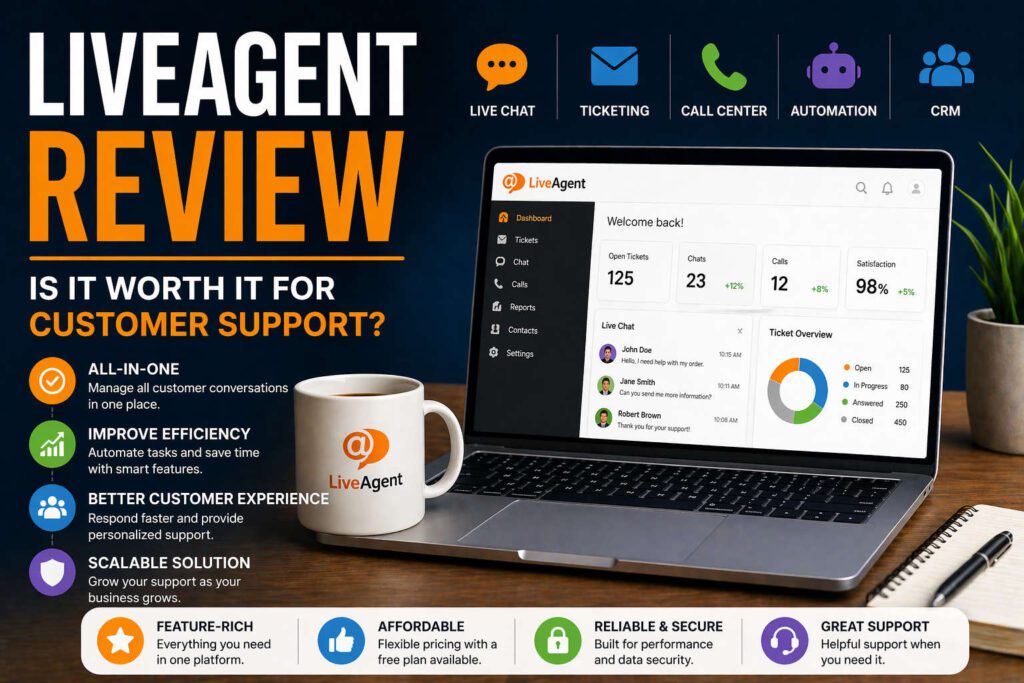
This LiveAgent review explains what it does, how it works, and whether it actually makes sense to use.
If you run a website or online business, at some point you will need a way to handle customer messages.
Email, chat, forms, maybe even calls. Managing all of that manually becomes messy quite quickly. This is where tools like LiveAgent come in.
READ: THE BEST AI TOOLS FOR CREATORS 2026
This post contains ad links.
What LiveAgent is
LiveAgent is a customer support software.
In simple terms, it brings all your customer communication into one place.
Instead of checking multiple platforms, everything is handled in a single system.
It combines:
- live chat
- calls
- social messages
into one dashboard
This makes it easier to track conversations and respond faster.
How it works in practice
When someone contacts you, LiveAgent turns that message into a ticket.
All tickets go into one system where you can:
- reply
- assign them
- track progress
This is the core idea behind help desk software.
It helps you stay organized instead of reacting randomly to messages
Main features
LiveAgent is not just a chat tool.
It is more like a full support system.
Ticketing system
All messages become tickets.
This gives you a structured way to manage conversations and not lose track of anything.
Live chat
You can add a chat widget to your website.
Visitors can message you in real time, and you can respond instantly.
Call center
LiveAgent also includes built-in call features like call routing and recording.
This is useful if your business handles phone support
Automation and AI
Some tasks can be automated.
For example:
- sorting tickets
- routing messages
- drafting replies
This reduces manual work over time
CRM features
It stores customer data and previous interactions.
This helps you understand context when replying to someone
Ease of use
For basic use, LiveAgent is relatively easy to understand.
You can get started without technical knowledge.
However, once you start using automation and more advanced features, there is a learning curve.
That is normal for tools that try to do many things.
Pricing
LiveAgent has multiple pricing tiers.
There is also a free plan, which is useful if you want to test it.
Paid plans scale based on features and usage, usually per agent.
This makes it flexible, but costs can increase as your team grows
Who it is for
LiveAgent makes sense if:
- you handle multiple customer messages daily
- you want everything in one place
- you need structure in your support
It may be unnecessary if:
- you only get occasional emails
- you don’t need live chat or automation
Main advantages
The biggest benefit is consolidation.
Instead of switching between tools, everything is in one system.
This improves:
- response time
- organization
- overall customer experience
Possible downsides
The main downside is complexity.
Because it includes many features, it can feel like too much if your needs are simple.
Also, advanced setups take time to learn.
Conclusion
This LiveAgent review comes down to a simple idea. It is not just a chat tool, but a full customer support system.
If you need to manage multiple channels and want everything organized in one place, it is a strong option.
If your setup is still very small, a simpler solution may be enough for now.
It’s a shame you don’t have a donate button! I’d definitely donate to this superb blog! I guess for now i’ll settle for book-marking and adding your RSS feed to my Google account. I look forward to fresh updates and will talk about this website with my Facebook group. Chat soon!